Gmail™ Add-on

Your shipments. One living dashboard.

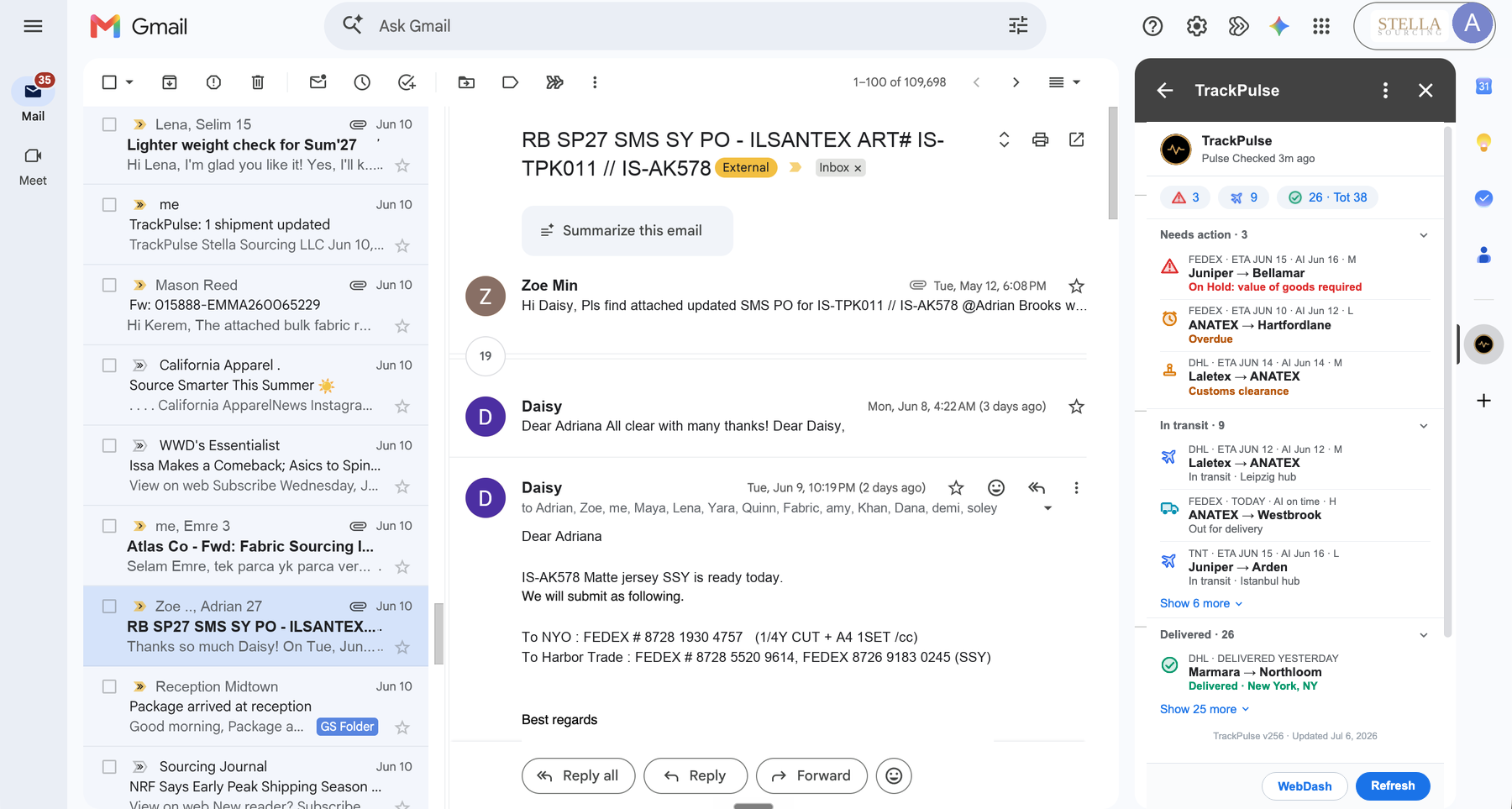
TrackPulse lives in your Gmail™ sidebar. Open a shipping email and it instantly catches the tracking number, then follows the shipment for you with live status from DHL, FedEx, UPS, and 100+ carriers worldwide.

No manual entry. No spreadsheets. No logging into five carrier sites.

Free for your first 10 packages every month — no credit card required

TrackPulse sidebar inside Gmail next to the Calendar, Keep, Tasks, and Contacts icons

Less clicks. Easy visibility.

TrackPulse does the work you used to do manually — spotting tracking numbers, checking carrier websites, chasing exceptions. Now it all just happens.

Smart Detection

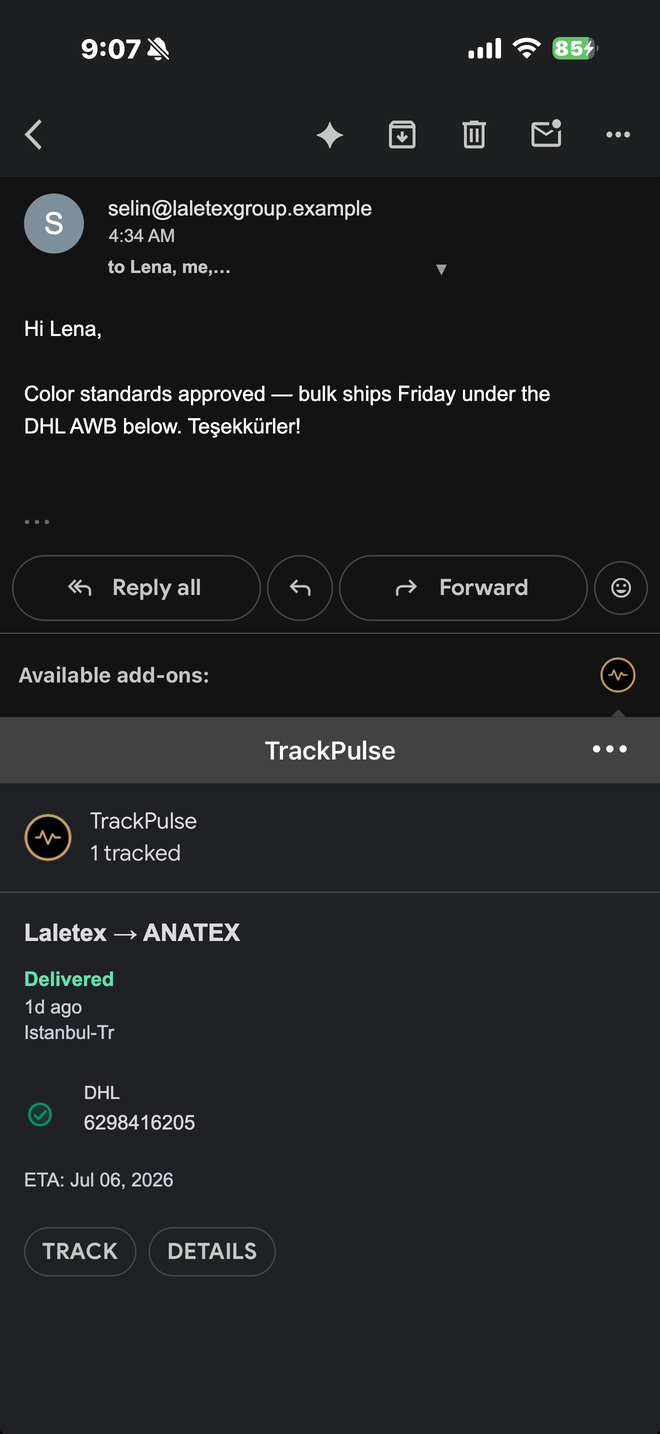
Open a shipping email and TrackPulse instantly spots the tracking number, the carrier, and who is shipping to whom — even inside PDF attachments. One tap and it's tracked.

All Carriers, One View

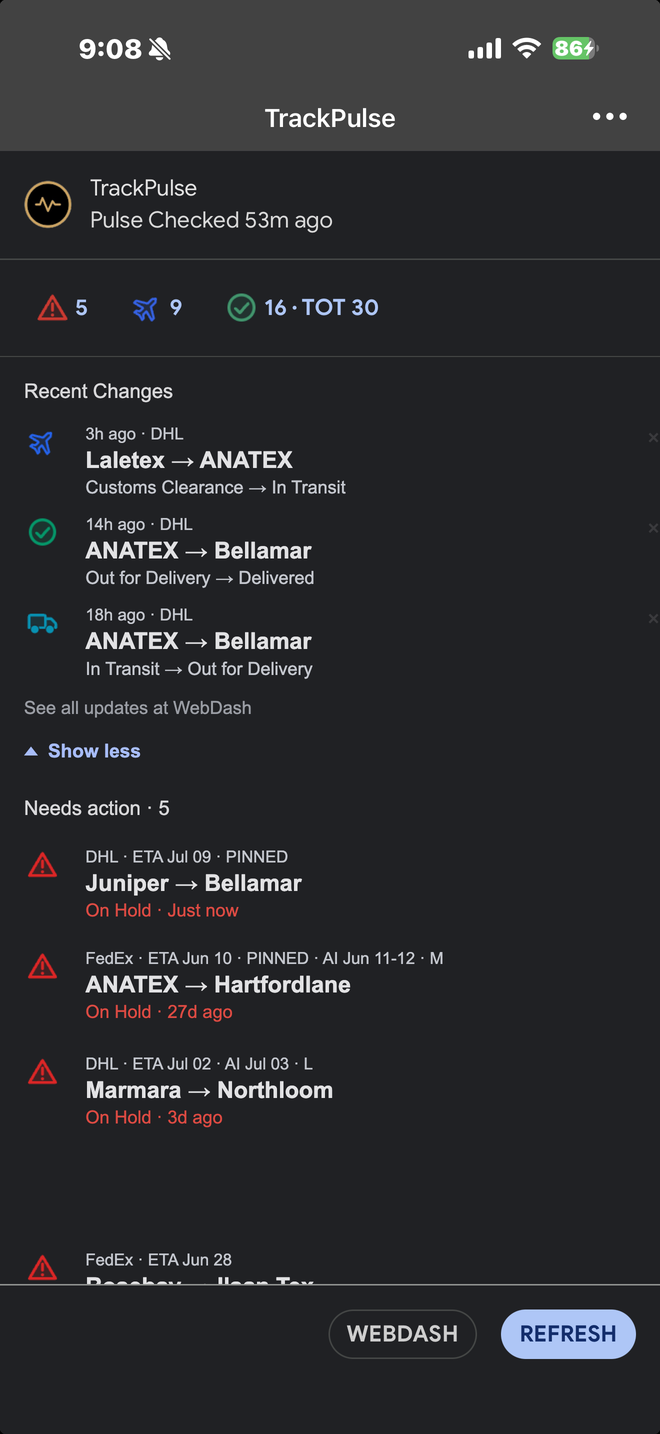
DHL Express, FedEx, UPS, and 100+ carriers worldwide. Real-time status in a single dashboard instead of five different carrier websites.

Real-Time Pulse

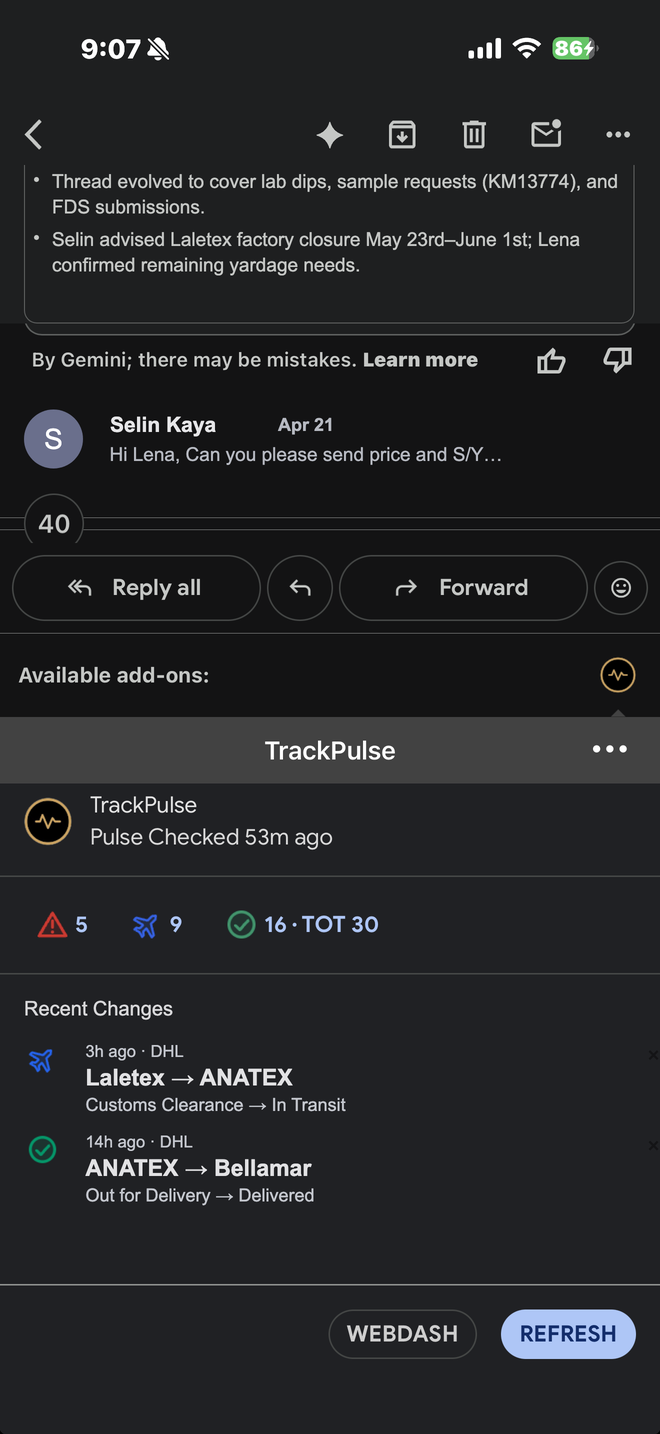
Statuses update the moment carriers report movement. Customs holds, failed deliveries, and anything needing your action is flagged in red — the urgent stuff finds you.

From:To:

Sender & Receiver Detection

TrackPulse learns who sent the shipment and where it's going — your mill, your brand, your warehouse. Every shipment reads as a route, not a number.

Route Maps & ETAs

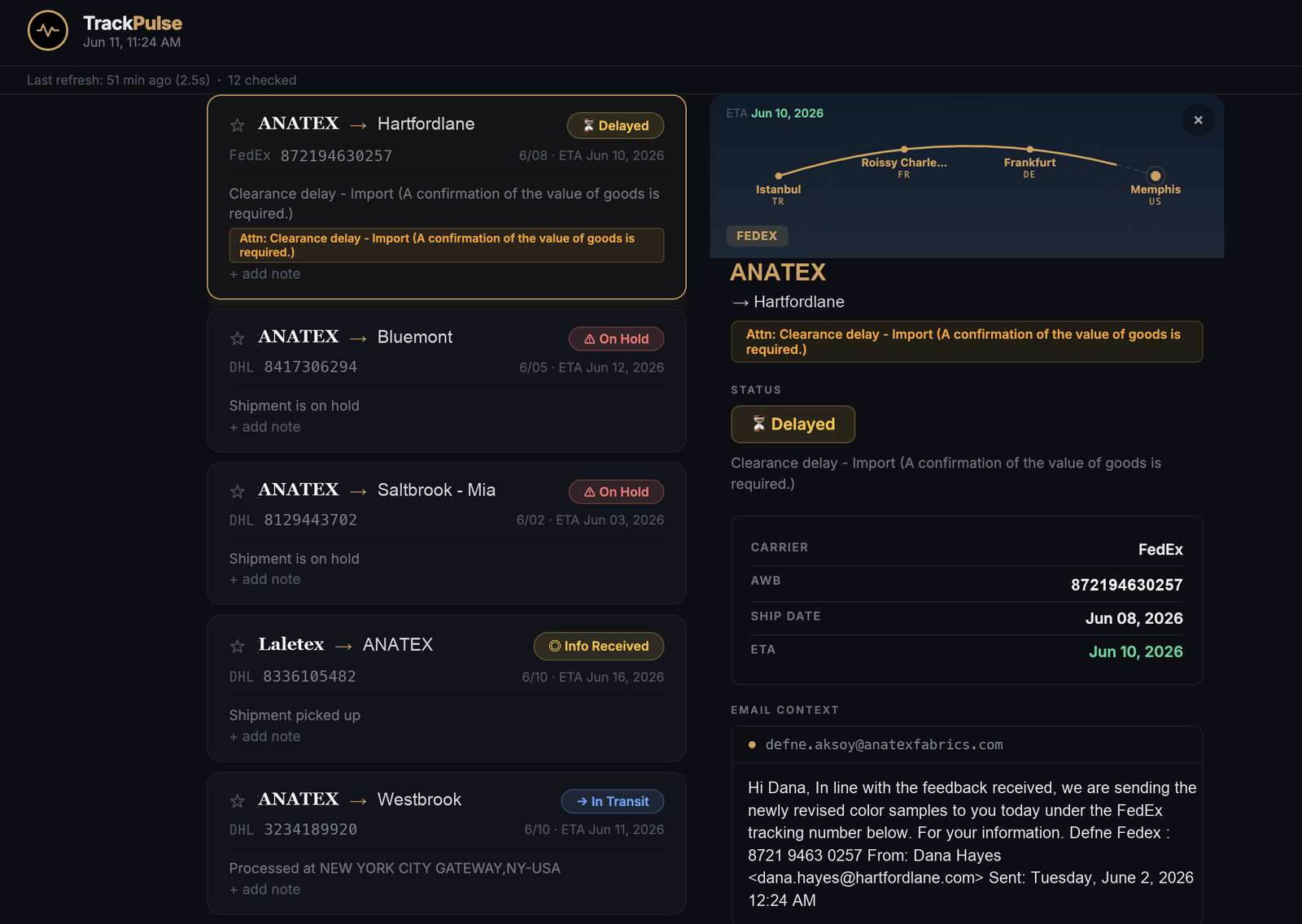
Every shipment gets a living route map from origin to destination, with ship date, ETA, and the full carrier journey at a glance.

Private by Design

Names, notes, and business relationships never leave your Google account. Our servers see only anonymous tracking statuses, auto-deleted after 90 days. And you always have the right to be forgotten: one button erases every trace of your data, on your device and on our servers.


Up and running in two minutes

Install the add-on, open a shipping email, and you're tracking.

1

Install the Gmail™ Add-on

Add TrackPulse from the Google Workspace Marketplace™. It only ever reads the email you have open — never your inbox.

2

Open a Shipping Email

Click the TrackPulse icon while reading any shipping notification. The tracking number is detected automatically and tracked in one tap.

3

Relax

From then on TrackPulse follows the shipment for you — in the sidebar, on the web dashboard, with red flags when something needs your attention.


The full picture, one click away

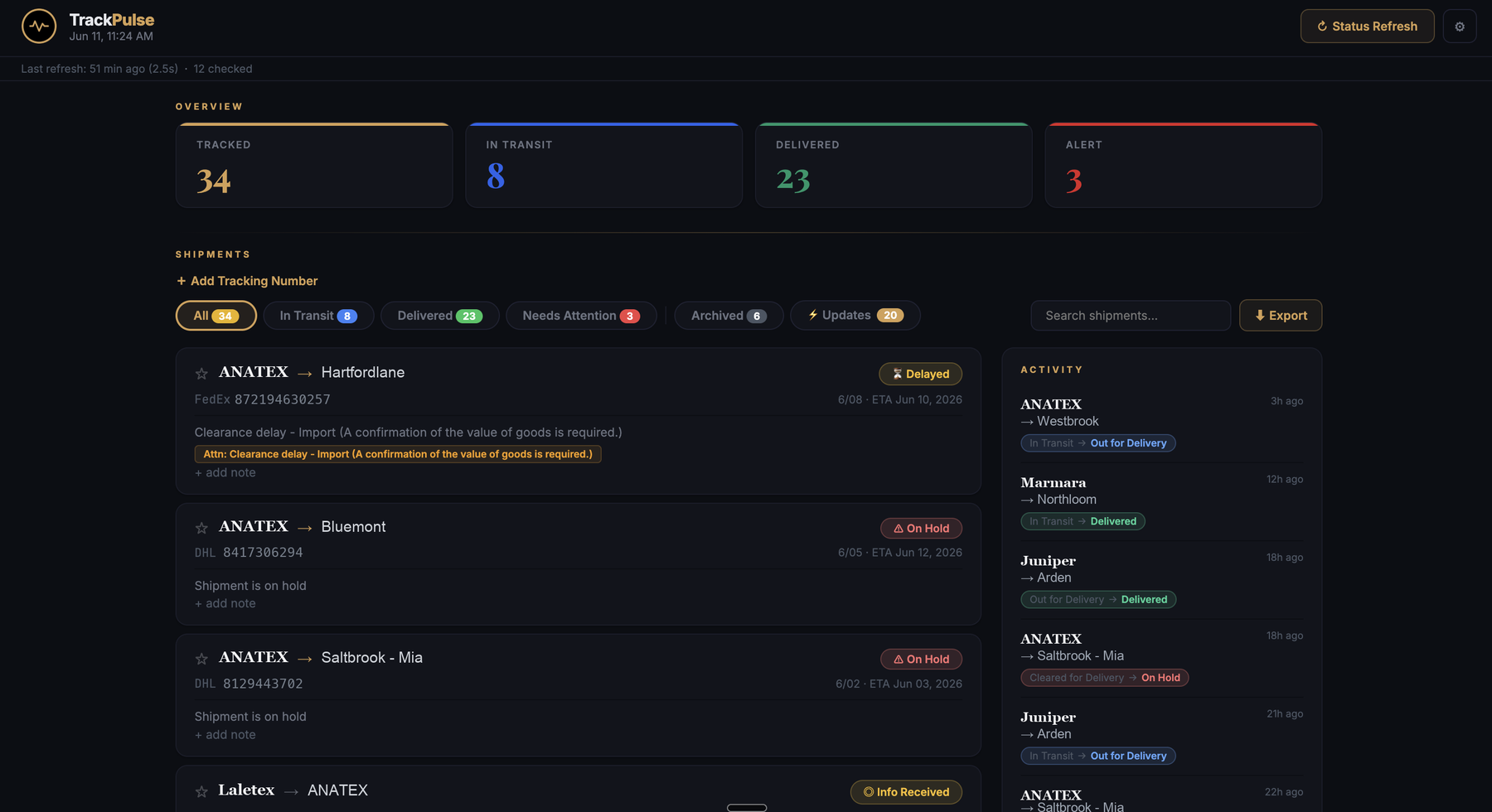
When the Gmail™ sidebar isn't enough, open the companion web dashboard for a complete view of every shipment — with live activity, search, filters, and export to Google Sheets™.

TrackPulse web dashboard showing tracked shipments, statuses, and a live activity feed
TrackPulse shipment detail with route map from Istanbul to Memphis, carrier info, and email context

Real product screenshots. Demo data shown.


Get Started

Start for free

Track your first 10 packages every month, free. No credit card, no setup.

10 packages a month, free

Install TrackPulse, open a shipping email, and start tracking. It's that simple.

Get Early Access →
Coming soon: Pro plan with unlimited packages, team visibility, Slack alerts, and AI-powered delay prediction.